A series of satellite TV and Journal publications. A networked telematic comic.
MEDIASPACE:
The intent of ‘MEDIASPACE’, whether in its ‘dead’ paper-based form, or the ‘live’ digital forms of satellite and internet, is to explore the implications of new media forms and emergent fields of digital practice in art and design. ‘MEDIASPACEÍ is an experimental publishing project that explores the integration of print (‘MEDIASPACE’ is published as part of the CADE (Computers in Art and Design Education) journal Digital Creativity by SWETS & ZEITLINGER.), WWW and interactive satellite transmissions (‘MEDIASPACE’ interactive satellite transmissions were funded by the European Space Agency (ESA), the British National Space Centre (BNSC), and WIRE (Why ISDN Resources in Education) and use Olympus, EUTELSAT and INTELSAT satellites via a TDS-4b satellite uplink. (incorporating live studio broadcasts, ISDN based video conferencing, and asynchronous email/ISDN tutorials). The convergence of these technologies generates a distributed digital ‘space’ (satellite footprint, studio space, screen space, WWW space, location/reception space, and the printed page). There is also a novel and dynamic set of relationships established between the presenters (studio based), the participant/audience (located across Europe), and the reader. As an electronic publishing experiment in real time (‘live’ media) delivery, combined with a backbone of pre-packaged information (‘dead’ media content), the ‘MEDIASPACE’ transmissions provide a provocative model for the convergence of ‘publishing’, ‘networked’, and ‘broadcast’ forms and technologies.
Some text and images recovered from the WIRE transmissions:
EADTU WIRE TRANSMISSIONS
European Association of Distance Learning Universities (EADTU). https://eadtu.eu/
Information for Reception Sites.
Test Transmission
22.10.96 11.00 – 12.00 GMT
Discovering Multimedia
05.11.96 12.00 – 13.00 GMT
Managing the Multimedia Process
03.12.96 12.00 – 13.00 GMT
Creating Multimedia
07.01.96 12.00 – 13.00 GMT
Virtual Environments
04.02.96 12.00 – 13.00 GMT
Multimedia and the Internet
04.03.96 12.00 – 13.00 GMT
“In a social situation, the number of people involved in a conversation or other symbolic exchange is the ‘space’ in which learning occurs.”
(Rom Harré et al, 1985)
“A boundary is not that at which something stops but, as the Greeks recognised, the boundary is that from which something begins its presencing. That is why the concept is that of horismos, that is, the horizon, the boundary. Space is in essence that for which room has been made, that which is let into its bounds. That for which room is made is always granted and hence is joined, that is gathered, by virtue of location, that is by such a thing as the bridge. Accordingly spaces received their being from locations and not from ‘space’.”
(Martin Heidegger, ‘Building Dwelling and Thinking’. 1954)
The network diagrams below try to illustrate the expected interactions and structures to be explored through out the transmissions. The physical structures have been broken down into the transient and the static.
Transient:

Green disks represent the reception sites;

Purple balls the ISDN asynchronous tutorials;

Red disks the studio transmissions.


Static:

Blue disks the permanent sites of the World Wide Web site and the First Class server.
Of course, the reception sites and the studio are static, however for the purposes of the MEDIASPACE they only exist for the duration of the transmission.
“There is not only this sharpening and refinement of the brain going on, but there has been what our great grandparents would have considered an immense increase in the amount, the quality and the accessibility of knowledge. As the individual brain quickens and becomes more skilful, there also appears a collective brain, the encyclopaedia, the Fundamental Knowledge System, which accumulates, sorts, keeps in order and renders available everything that is known.”
(The Shape of Things to Come, H.G. Wells, 1933)
A train ticket represents a journey from A to B whilst at the same time representing a location (the train seat or carriage) for a duration (the time of the journey from beginning to end). In a similar way the MEDIASPACE transmissions are a broadcast from A to B, whilst at the same time evoking an extended location for the duration of each broadcast (stretching out, through networks, across the boundaries defining the space of each site), a new kind of space, hopefully a landscape of interactivity.
The Studio:
The Hoe T.V. Studio is located about a mile from the Satellite Uplink and is linked by a direct land line. The Satellite Uplink is based at the main University of Plymouth Campus. The studio has been producing educational and professional programmes for a number of years and is equipped with professional broadcasting and editing facilities.
The MEDIASPACE Transmissions regularly use chromakey to provide back drops for the presenters.
Video output is taken from the workstations on the studio floor and mixed with the camera feed. This allows the presenters to interact directly with the computer screen.
Each programme usually uses 3 cameras, one in a fixed position for the majority of the chromakey shots and the two others roaming around the studio.
Production team: Will Bakali / Kate Bryant Mic Cady / Geoff Cox / Culver Epps / Dave Flynn / Debbie Goacher / Dan Livingstone / Rob Morrison (SGI) / Jill Mortimer / Joe Nash / James Norwood / Mike Phillips / Chris Speed / Adrian Vranch

Guests: Roy Ascott (CAiiA) / Brian Eno / Andy Finney / Tony Tucker (Macromedia) / Simon Turley /
EURONET Broadcasts (circa 1999).
“Wire – Mediaspace”: Converging technologies for distance learning in multimedia
A. Vranch, M. Phillips and R. Winders.
Computing Service, University of Plymouth, Seale-Hayne Campus, Newton Abbot, Devon, TQ12 6NQ, UK.
Paper prsented at the CAL 97 Conference “Superhighways, Super CAL, Super Learning?” University of Exeter 23rd – 26th March 1997
Keywords: Satellite, IT and learning, Multimedia, Rural, developing and remote areas, Video conferencing
Abstract
The University of Plymouth is developing an expertise and infrastructure for effective delivery of communications, information and learning at a distance. This strategy fits within a regional framework comprising seven main campuses, separated by some 200 km at the extremes, close links with local Partner Colleges and a lead role in RATIO, an initiative to set up a regional network of telematics centres for distance learning. “Wire” (Why ISDN Resources in Education?) is a three year European project offering five distance courses to ten Euro Study Centres. The University of Plymouth contribution to Wire is “Mediaspace”, a multimedia course comprising a series of live, interactive satellite TV transmissions, with supporting sessions, using ISDN video conferencing, remote control, file transfer, FirstClass electronic conferencing and WWW server access. This paper describes the development, delivery and evaluation of the Wire – Mediaspace course in terms of identifying combinations of converged technologies that provide effective distance learning. This project has implications in terms of technology transfer of experience and evaluation techniques to developments in regional and inter-regional distance learning courses. In a situation of rapid technological change the approach and outcomes of Wire – Mediaspace are expected to have an impact on delivery of effective distance learning for some time to come.
Introduction
The University of Plymouth and the South West region
The University of Plymouth is situated in the South West of England, distributed over seven main campuses in the counties of Devon, Cornwall and Somerset, separated by some 200 km at the extremes. In addition, the University has developed close links with local Partner Colleges of Further and Higher Education and is the lead partner in the RATIO (Rural Area Training and Information Opportunities) project, an initiative to set up a network telematics centres in the region for distance education and training. Within this regional framework the university is developing an expertise and infrastructure for effective delivery of communications, information and learning at a distance.
The “Wire – Mediaspace” course
“Wire” (Why ISDN Resources in Education?) is a European project to evaluate the effectiveness and costs of using ISDN for the delivery of distance learning courses. The project is funded and managed by the European Association of Distance Teaching Universities in Heerlen, The Netherlands as part of the European Open University Network. Partners from Finland, Belgium, UK, France and The Netherlands contribute to the project as course providers and course recipients through their Euro Study Centres, with support from telecommunications companies.
Wire is a three year project offering five distance courses to ten Euro Study Centres. The University of Plymouth contribution to Wire is “Mediaspace”, a series of live, interactive satellite TV transmissions, with supporting sessions, using ISDN video conferencing, remote control, file transfer, FirstClass electronic conferencing and WWW server access. The strategic importance of Wire – Mediaspace The current commitment for distance delivery of courses by the University is to over sixty telematics reception sites in the south west region, including campuses of the University, Partner Colleges and RATIO training centres. The Wire – Mediaspace project is a key contributor in identifying appropriate combinations of converged technologies that deliver effective, viable learning at a distance.
Development of techniques to integrate live satellite TV with other converging technologies for distance learning
Early live satellite TV transmissions with audio participation
The roots of the current Mediaspace series in the Wire project go back several years to the early trials at Plymouth that explored the potential for distance learning via live interactive TV broadcasts. In the early years of development the interaction with the viewers was achieved mainly using audio conferencing. In the early series of “StarNet” broadcasts the format of programmes was based on a professional presenter, with studio guests who were the business studies subject specialists. Interaction with viewers was by telephone and the presenters used standard handsets to talk to viewers, who dialled in via an audio bridge. The handsets in the studio were later replaced by studio microphones and speakers which made interaction with viewers appear more natural on screen, a key factor in enhancing viewer acceptance of the approach, identified via questionnaire responses.
Early experiences with audio conferencing in live transmissions identified technical problems, including a form of audio feedback called “howlround” and the general need for a specially trained operator to be available at the receive site. From this was developed the concept of the “facilitator”, a trained member of staff who was able to ensure that the satellite receiver was tuned in properly and who could oversee the use of audio conferencing equipment. This was important to provide an environment in which the viewer would feel relaxed and willing to participate, again a key factor in enhancing viewer acceptance.
Early integration of computers into live satellite TV transmissions
As the broadcasts in StarNet and other series progressed an interest developed in using computers to enhance the programmes. Graphics for presentation and electronic communication for interaction were identified as two key functions for the use of computers in this way. For example, a low-cost 286 PC computer was used for running an animation in a 1990 programme on computer viruses. In the “Solstice” series, interaction with electronic mail was explored using simple X25 communications into the studio and this helped to provide more feedback with viewers, although mail messages were not always delivered promptly. In the Solstice series librarians were trained at a distance in the use of computer-based library search techniques (Hughes, 1991).
Development of converged technologies for live satellite TV transmissions
Following these initial pilot broadcasts, techniques for using computers in live satellite programmes have been under constant review, in line with the appearance of new developments in the TV, computer and communications industries. Use of computers for presentations was developed further in the IT Training by Satellite series (Vranch, 1993) in which a Macintosh screen output was interfaced to the control room via a Mediator to provide quality computer images for broadcast in a combination of presentations of “bullet points” and animations and for live demonstration of specific software. A novel aspect of this approach was that for the first time it was the presenter who was in control of sophisticated computer-based presentation and graphics input to the broadcast, rather than the director in the control room. This innovation opened up the possibilities for a different, less formal approach to presenting live programmes that is now used in the Wire – Mediaspace series. It also demonstrated the analogy between using a computer to present a live TV programme and delivering a lecture in a modern auditorium. Early versions of Mediaspace were developed as single TV broadcasts using analogue video conferencing and X25 electronic mail on a much smaller scale than Wire – Mediaspace (Honeywill et al., 1995).
Wider availability of ISDN video conferencing has enhanced the potential for interaction with guest presenters and questions from viewers, both of which added much to the content and style of live transmissions. This development was also enabled the presenter in the studio to get visual feedback from the viewers at a distance, again improving interaction and making live TV presentations analogous to lecturing in a large, modern lecture theatre.
Course content, interaction and evaluation
Interactive TV transmissions
Details of topics covered in each transmission of this multimedia course are given in appendix 1. Technical details of transmissions are given in Appendix 2. Interaction is provided in the live TV sessions by ISDN video conferencing and FirstClass electronic conferencing, directly into the studio floor (figure 1). Additional input from viewers is made possible by telephone or facsimile to the control room and this input can be relayed immediately to the presenters. The FirstClass system provides a flexible means to obtain live feedback from viewers unobtrusively and enables efficient management of dial-in for ISDN video conferences. Video conferences are used to bring guests “into the studio” at a distance and to interact with viewers for comments and questions. In addition, the FirstClass electronic conferencing system enables an interactive dialogue between all participants before, during and after the transmissions.
The presenters control the delivery of the programme content from the studio floor as computer presentations and this output is integrated in the control room mixer with video conference PC output, CRO “back projection” technology, audio and camera video outputs, to provide the transmitted signal. The studio director is in voice contact with the presenters and studio staff at all times.
Interactive support sessions
Interaction in support sessions is provided in both synchronous and asynchronous form. Interactive ISDN video conference sessions, with associated remote control via Timbuktu and ISDN file transfers enable student peer to peer and student/tutor interaction in learning and facilitate distance collaboration in multimedia projects. Asynchronous interaction is on-going via the FirstClass conferences, following up ideas generated in previous TV transmissions, adding content during the programmes and providing topics for interaction in the next TV programme or in the next ISDN video conference session. The FirstClass conferences provide an on-going record of the progress of the support sessions in an interactive dialogue and a forum for sharing files as attachments. A WWW server adds a further dimension to this sharing process.
This record is an important resource which can be revisited and built on as the course progresses and can be used later in conjunction with video tapes of the live programme by new groups of students.
Evaluation
Evaluation of Mediaspace is on two levels. First, the course is evaluated in the context of the Wire project in terms of the effectiveness of the combination of technologies used with ISDN compared with other approaches. Second, there is an evaluation of the approach adopted to identify its success in delivering effective distance learning specifically for multimedia as a course topic.
In both cases evaluation is made from a combination of questionnaires and analysis of interaction from video tapes of live programmes, logs of video conference sessions and from analysis of the FirstClass conferences throughout the course. Specific software has been developed to extract key information from the FirstClass conference log files, in addition to manual analysis of the content of conference threads and the comments within.
Implications for future distance learning developments
The Wire – Mediaspace project gives rise to specific outcomes which have implications for future distance learning work, including:
further consolidation of experience and expertise in identifying the balance needed in technologies for effective distance learning;
development of methods for evaluation of distance learning, based on the use of converged technologies;
the technology transfer of this research-based approach towards application within mainstream activity, for example the University of Plymouth Institute of Health Studies learning programme, RATIO courses and other regional or inter-regional activities.
In addition, as technologies available for delivery of distance learning materials develop, so the present approach of evaluating solutions for effective convergence of technologies becomes more relevant. For example, development of high bandwidth regional, metropolitan or international networks can offer an alternative to satellite for delivery of broadcast quality video, although there may be limitations for mass, simultaneous broadcast over a large area using these terrestrial networks. Nevertheless, principles and evaluation procedures developed in Wire – Mediaspace will still be applicable to these developments.
The use of the satellite data carrier signal, for data broadcast at 100 Kbps at the same time as TV and video, offers new opportunities for mass, simultaneous distribution of learning materials. Furthermore, moves to transmit live TV programmes using MPEG2 digital compression are now taking place from the University of Plymouth uplink, with the cost advantage of reduced satellite rental charges, since only one-eighth (Glover, 1996) of the satellite transponder is required.
Even in a situation of rapid technological change the outcomes of Wire – Mediaspace are expected to have an impact on delivery of effective distance learning for some time to come.
References
Glover, P. (1996) Interactive Digital Television by Satellite, Proceedings of On-line Educa, Berlin, 13 – 15 November
Honeywill, P, Phillips, M and Vranch, A. (1995) Converging New Technologies for Art and Design Education. Proceedings of Digital Creativity, the First Conference on Computers in Art and Design Education (CADE ’95), Brighton, UK, April.
Hughes, A (1991) Project SOLSTICE. ASLIB Information, 19, 11 & 12.
Vranch, A. T. (1993) Staff Development and Training by Satellite in the University of Plymouth, Proceedings of Olympus Utilisation Conference, Sevilla, Spain, 20 to 22, ESA WPP-60, 247 to 252.
Acknowledgements This work was funded by the European Association of Distance Teaching Universities, with matched funding from the University of Plymouth. This funding support is gratefully acknowledged.
This document was added to the Education-line database 15 October 1998
It’s as though he’s alert to the current debate in the House of Commons chamber. We briefly discuss love, pain and flowers and when I ask him about the internet, he amusingly replies, “Excuse me?” Even with its Y2K interface, Autoicon is a technological wonder. It doesn’t just imagine black people in the future, it preserves them so that they arrive there safely and in their own image.
Autoicon is a dynamic internet work and CD-ROM that simulates both the physical presence and elements of the creative personality of the artist Donald Rodney who died from sickle-cell anaemia. The project builds on Donald Rodney’s artistic practice in his later years, when he increasingly began to delegate key roles in the organisation and production of his artwork. Making reference to this working process, AUTOICON is developed by a close group of friends and artists (his partner Diane Symons, Eddie Chambers, Richard Hylton, Virginia Nimarkoh, and Keith Piper) (ironically described as ‘Donald Rodney plc’ who have acted as an advisory and editorial board in the artist’s absence, and who specified the rules by which the ‘automated’ aspects of the project operate. http://www.iniva.org/autoicon/
Backstory:
“I can remember the exact location (though the time is vague – early afternoon of 1997) that it became apparent that the body politic of a white middling (class/age) male would be of little interest. On a stretch of road, half way up the A38, just outside Buckfastleigh, frequently travelled with Donald in an ageing 2CV back in 1990, enroute to install Visceral Canker for the TSW 4 Cities Project. Bizarrely I had recently enacted a personal interpretation of this collaboration through my auto-exsanguination following an ulcer burst a year earlier, and this temporality of the body was a factor in the birth of Autoicon. Memories of all that blood (emerging into the twilight from a Cornish gun emplacement, bloodied, damp and freshly electrocuted) conjured up half forgotten conversations with Donald. In particular the one about the ticking clock that marks the passage of time for all sufferers of Sickle-Cell Anaemia – something about a life expectancy of 36/37 years. I had worked with (or like many of the Donald Rodney PLC – for) Donald on many occasions since our time at the Slade School of Art (1985-87). Back then it was the soundscapes for his installation at the ICA and the donation of my work space, drawings and BBC B I/O boards for the cameraman to walk all over when filming his feature on the State of the Art TV programme. There were other bits and pieces but most notably Psalms (with Guido Bugmann). Autoicon would seem to consolidate that period of time, it embraced our many conversations of parallel generic histories sitting in front of Bentham’s glassy eyes, gave new meaning to a history of medical data and, like the original Autoicon, engaged playfully with an inevitability. The mid 90’s were the age of the wannabe avatar, VRML showed such promise and cyberspace was almost tangible. To be in it, part of it, breathing the data, was an ambition being played out in media arts projects all over the world. Yet there was something ghostly and hollow about these apparitions, they were, for the most part just pixels, vague representations that could neither feel nor be felt. My hope was that, through Donald’s body of work and body politic the Autoicon marked an avatar upgrade that was both a homage to Bentham’s original and as rich and complex as his vision for his physical body. A 20th Century Autoicon would have to be embrace the flesh as much as it would the trace data that leached from the temporality of its owner. My work has since, from time to time, attempted to explore the relationship between meat and data, A Mote it is…, Exposure and the various projects in Bio-OS have all attempted to capture the physical, projected and data body beyond the simple two dimensional representation. But the Autoicon needed to be Donald Rodney – and so we set about making plans from his hospital bed for an Arts Council England GFA application…”
Mike Phillips, 10/10/14.
Donald Rodney Autoicon CD:
donald.rodney:autoicon v1.0
http://www.iniva.org/autoicon
README AUTOICON is a dynamic artwork that simulates both the physical presence and elements of the creative personality of the artist Donald Rodney who – after initiating the project – died from sickle-cell anaemia in March 1998. It builds on Donald Rodney’s artistic practice in his later years, when he increasingly began to delegate key roles in the organisation and production of his artwork.
Making reference to this working process, AUTOICON is developed by a close group of friends and artists (ironically described as ‘Donald Rodney plc’) who have acted as an advisory and editorial board in the artist’s absence, and who specified the rules by which the automated aspects of the project operate.
This CD-ROM, in parallel to the internet version (http://www.iniva.org/autoicon), is automated by programmed rule-sets and works to continually maintain creative output. Users will encounter a ‘live’ presence through a ‘body’ of data (which refers to the mass of medical data produced on the human body), be able to engage in simulated dialogue (derived from interviews and memories), and in turn affect an auto-generative montage-machine that assembles images collected from the user’s hard-drive (rather like a sketchbook of ideas in flux).
Through AUTOICON, participants can generate new work in the spirit of Donald’s art practice as well as offer a challenge to and critique the idea of monolithic creativity. In this way, the project draws attention to current ideas around human-machine assemblages, dis-embodied exchange and deferred authorship – and raises timely questions over digital creativity, ethics and memorial.
Further information on the artist and his work is included on the CD-ROM.
For more information email autoicon@iniva.org
INSTRUCTIONS
This software requires no specific installation – it is designed to run straight off the CD-Rom. However, it does require a working installation of Apple’s QuickTime 4. The installer is provided on the CD-Rom in a folder called ‘QuickTime 4’. Please ensure you have fully installed QuickTime 4 before trying to use AUTOICON.
To launch the AUTOICON software, insert the CD into your CD-Rom drive. Navigate to the files on the CD-Rom (Macintosh users should double click the icon that appears on your desktop, Windows users should browse inside ‘My Computer’). Double-click the ‘AUTOICON’ application icon.
The software takes a few moments to start up. Once loaded, click the ‘Continue’ button to launch the software. Interact with the AUTOICON by typing text into the field in the centre of the screen. While you engage in a discussion with the AUTOICON, a montage will be derived from bits of images found on your own hard-drive.
The ‘Activities’ menu allows you to view other aspects of the project, including a slideshow and artist biography. You can also choose to watch the montage in progress, or you can examine the software’s internal memory. External links to the AUTOICON web site and for email feedback are also provided.
If you would like to export the generated montage, choose ‘Save As…’ from the ‘File’ menu.
To leave the AUTOICON, go to the ‘File’ menu, and choose ‘Quit’.
MINIMUM SYSTEM REQUIREMENTS
Macintosh:
Power PC Processor (G3/266 pref.)
System 8.0 or later
32mb RAM
Quad-speed CD-Rom Drive
QuickTime 4 (installer provided)
Windows:
Pentium P200 Processor or higher
Windows 95, 98, NT or 2000
32mb RAM
Quad-speed CD-Rom Drive
QuickTime 4 (installer provided)
Published by the Institute of International Visual Arts (inIVA) and STAR.
inIVA,
6-8 Standard Place,
Rivington Street,
London, EC2A 3BE, UK.
Internet: http://www.iniva.org
Tel: +44 20 7729 9616
Fax: +44 20 7729 9509
STAR (Science Technology Art Research)
School of Computing, University of Plymouth,
Drake Circus, Plymouth, PL4 8AA, UK
Internet: http://www.CAiiA-STAR.net
Tel: +44 1752 232541
Fax: +44 1752 232540
Donald Rodney Autoicon Launch at inIVA: Invitation:
inIVA Launch.
Still not sure what the urination was about. The Dirty Space? Something may have got lost in translation.
Date: 22/05/2000.
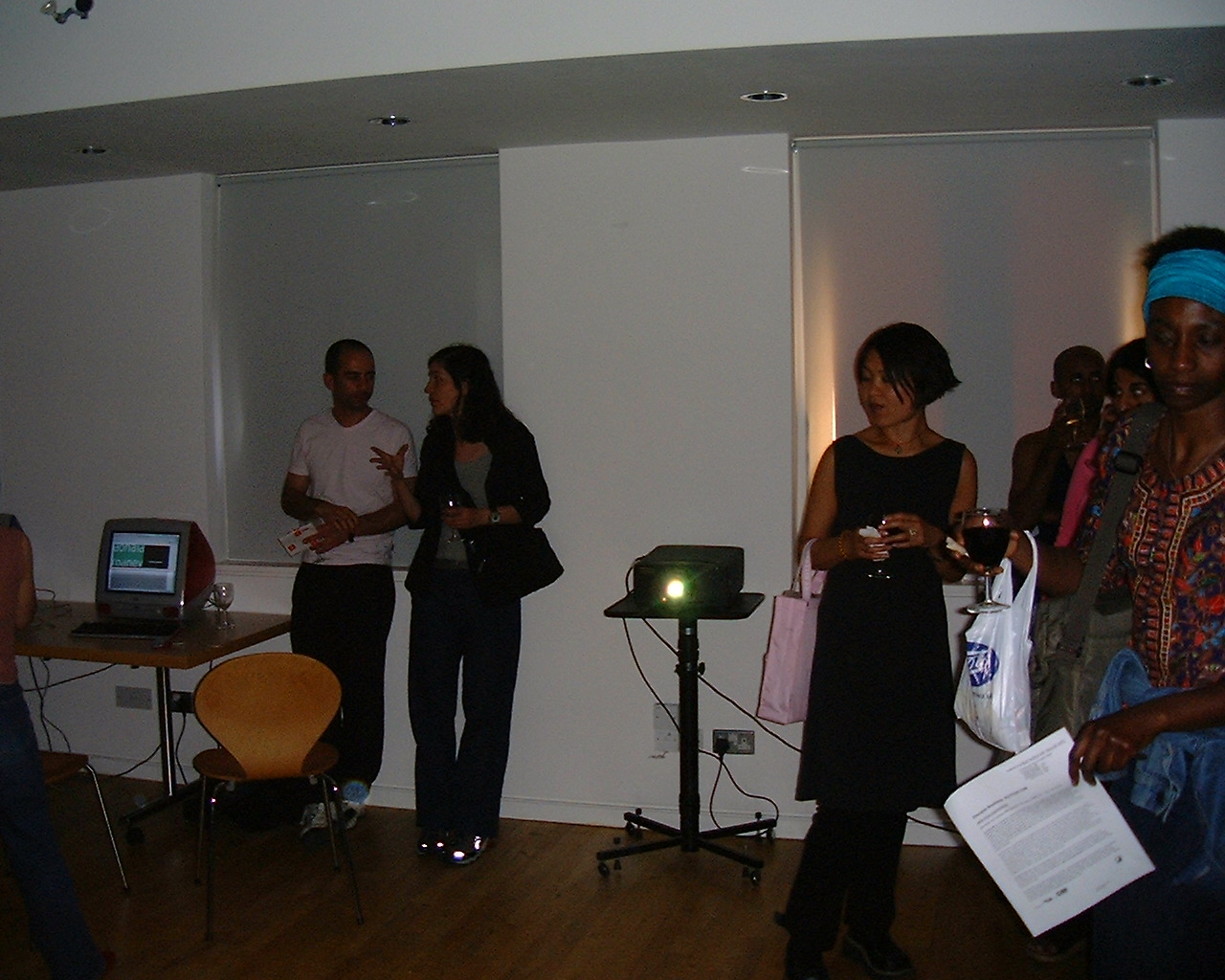
This is an experimental project that uses interactive digital media to enable the development of new forms of performance and narrative. It looks at the way that layers of interactivity are created in a live event. It also explores how human interaction is moderated through different forms of technology. In this project the performance operates over a series of inter-connected spaces. These will be created, using three technologies: satellite transmission, VRML and email. The performance will ‘take place’ in a T.V. studio; the performance will be transmitted by satellite to other receiving venues which can communicate with the performers by ISDN video conferencing. Spectactor is funded by DA2 and i-DAT.
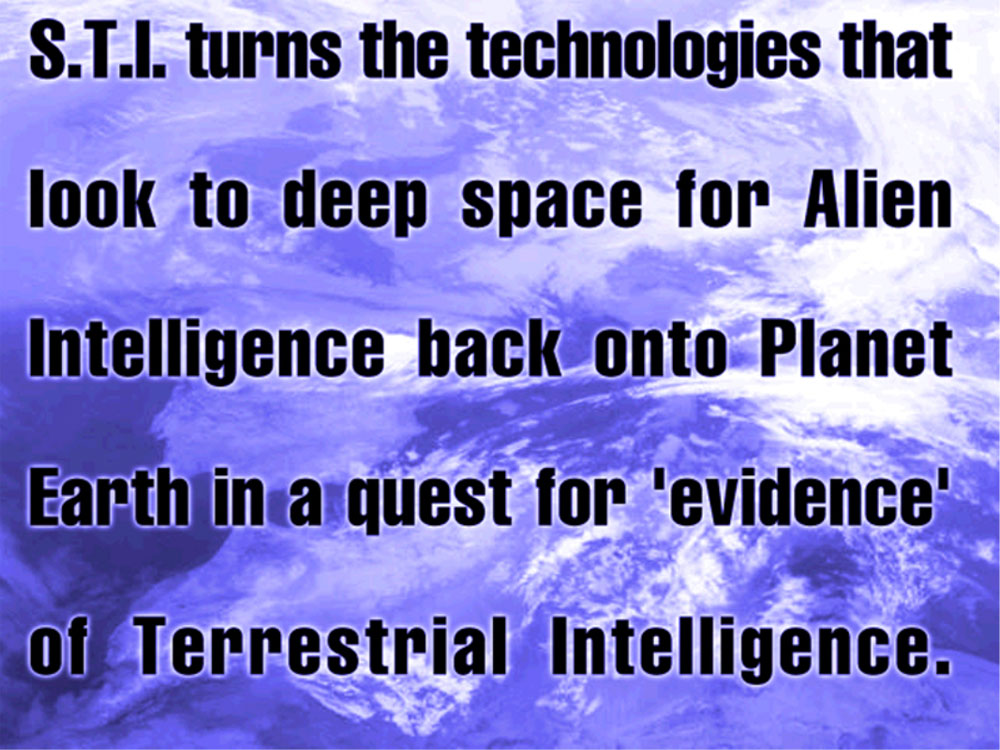
S.T.I. is funded by the SciArt programme (supported by the ACE, the British Council, the Calouste Gulbenkian Foundation, SAC, the Wellcome Trust and NESTA)., and turns the technologies that look to deep space for Alien Intelligence back onto Planet Earth in a quest for ‘evidence’ of Terrestrial Intelligence. Looking at Earth from space the project will develop processing techniques using autonomous computer software agents. S.T.I. moves beyond irony by engaging with our understanding of the ‘real world’ through our senses, whether real or artificially enhanced. Will these autonomous systems ‘know’ the ‘truth’ when they ‘see’ it? The S.T.I. Consortium: STAR, Dr Guido Bugmann, Dr Angelo Cangelosi, Laurent Mignonneau, Christa Sommerer, Dr Nick Veck.
The STI Server is no longer alive but video grabs can be found here:
T H E S . T . I . P R O J E C T : T H E S E A R C H F O R T E R R E S T R I A L I N T E L L I G E N C E INTRODUCTION: PROJECT: CONSORTIUM: PATHWAY: OUTPUT: COPYRIGHT: INTRODUCTION:
The Search For Terrestrial Intelligence is funded through an R&D grant awarded to the Consortium by the Wellcome Trust SciArt competition http://www.wellcome.ac.uk/sciart. The sciart competition aims to encourage scientists and artists to work together creatively. Awards are offered to partnerships of scientists and artists working on projects that capture the public’s imagination with some aspect of biology, medicine or health. The competition has been run twice, in 1997 and 1998.
S.T.I. turns the technologies that look to deep space for Alien Intelligence back onto Planet Earth in a quest for ‘evidence’ of Terrestrial Intelligence. Using satellite imaging and remote sensing techniques S.T.I. will scour the Planet Earth using similar processes employed by SETI (the Search for Extra Terrestrial Intelligence). Looking at Earth from space the project will develop processing techniques using autonomous computer software agents. In their search for evidence of intelligence the agents will generate new images, animations and audio (which may produce more questions than answers) which will be publicly accessible on this website.
From the original Wellcome ArtSci Pitch: PROJECT:
S.T.I. establishes a common ground for the consortium by sharing the collective knowledge of remote sensing, imaging technologies, autonomous agents (AI and Neural Networks), and On-Line interaction. The Project fuses this knowledge into a challenging exploration of planetary data analysis, through a process of experimental prototyping of a number of autonomous data analysis agents that will reside on this website.
Vision dominates our culture and lies at the heart of scientific and artistic endeavour for truth and knowledge. Increasingly the dominance of the human eye is being challenged by a new generation of technologies that do our seeing for us. These technologies raise critical questions about the nature of the truth and knowledge they illicit, and the way in which we interpret them. In turn these questions raise issues about the way we, through science and art, have always ‘known’ the world. The S.T.I. Project goes beyond the irony of the search for terrestrial intelligence on Earth by engaging with our understanding of the ‘real world’ through our senses, whether real or artificially enhanced. Will these autonomous systems ‘know’ the ‘truth’ when they ‘see’ it?
The S.T.I. Project reveals the processes used by science to ‘see’ the ‘real world’, making transparent the scientific method itself. In so doing S.T.I. generates ‘artefacts’ that question the way we perceive our environment and ourselves. This process of imaging says as much about the observer, the nature of the experiment and the technology as it does about the actual data gathered. This link between knowledge and vision, knowing and seeing, questions the way art and science utilise the visual dialectics of truth and deception.
The S.T.I. Project engages in critical issues surrounding the shift from the hegemony of the eye to the reliance on autonomous systems to do our seeing for us. This shift has an equal impact on scientific processes and creative endeavour. By turning away from ‘outer space’ to an examination of ‘our space’ the project also engages public interest, as expressed in the popular imagination through science fiction (X files, etc), in the alien within our midst. Do we recognise ourselves when seen through our artificial eyes.
For example: ‘Face on Mars’. The blurred and faded images sent back by the 1976 Viking Orbiter reveal little to the naked eye, until they are digitally processed. The processing slowly reveals a skull like face that stares blankly from the surface of mars. The technology strips away the grain and fuzz and re-visions. The ‘face’ becomes gradually un-obscured, progressively un-veiled, with features suggestive of eyes, a ridge-like nose, and a mouth, its ‘truth’ emerging through the technology. Maybe the processing techniques employed allow us to see more clearly the images we nurture inside our heads. Maybe they bring into sharp focus the things we want to see.
CONSORTIUM:
The S.T.I. Project Consortium brings together artists, scientists and technologists from four research groups (STAR, CNAS, ATR, NRSC) based in three organisations, the University of Plymouth, ATR Media Integration & Communications, Research Laboratories, and the National Remote Sensing Centre (NRSC) Limited. The S.T.I. Project involves a Development Committee, which consists of eight individuals, short C.V.s are included in the supporting information section of this application. They are:
PATHWAY:
The research and development of the S.T.I. project is broken down into three stages. The nature of the project requires an exploratory and prototyping method of systems design. Although there is no recognised ‘best practice’ critical pathway, STAR has identified a system, which is based on EMG’s production pathway. Many of these activities will run concurrently.
R&D Pathway: May 2000-March 2001: Phase 1: Concept and Research. This will consist of a design process, which identifies/assesses the nature of: the information currently available from remote sensing technologies; processing techniques currently employed for the analysis of remote sensing data; rules and processes that can be employed to ‘train’ the autonomous systems; design guidelines for the production of the autonomous analysis systems. Much of this knowledge exists within the S.T.I. consortium, its dissemination between the committee will take place through meeting (IRL and On-Line). Phase 2: Prototyping. This will require the consortium and the production assistant to generate autonomous systems. Phase 3: Website design and production.
The completion of the R&D stage will be formalised by a S.T.I. Project Seminar/Launch, which will provide a public presentation of the projects findings and activities.
i-DAT committed several Generative Music events. These consisted of live coding, digital sound toys (mostly produced by students on MLA and audio montages.
Locations:
Sherwell Centre, Plymouth / The Cavern, Exeter / The Cube, Bristol (as part of the RX Artec/DA2 event) / Lovebytes Sheffield.
Cavern Club, Exeter, 16/06/1999
These images and recordings were from the Cavern Club, Exeter on June 16 1999… and people were dancing…
Performers included: Ade Ward (AKA Slub) / James Norwood / Mike Phillips / Dan Livingstone / Geoff Cox /.
[SPACE/TIME: 24 and 25 August 1998, at Port Eliot House in St Germans, Cornwall]
INTRODUCTION:
CAiiA-STAR invites you to participate in the first INTERSTICES Symposium,’The Architecture of Consciousness’ to be held on 24 and 25 August 1998, at Port Eliot House in St Germans, Cornwall.
Following the CAiiA Conference at UWCN, a Symposium on new developments in interactive design and cyber architecture, set in the context of Consciousness Reframed, will be organised by STAR at the University of Plymouth in St Germans at the historic Port Eliot House. The Symposium will explore the impact of digital technologies on the institutions, locations and structures of cultural production and consumption, and will cover such topics as: new media arts and research centres, educational structures, interactive publishing/broadcasting, intelligent environments and public interfaces.
The Symposium will give participants the opportunity to share and discuss the institutional and architectural implications of the issues raised at the CAiiA Conference. The STAR Symposium will be largely visually-based, utilising interactive multimedia systems (CD ROM, video, projection and the Internet), offering the opportunity to construct, present and view new developments and proposals in a number of cultural, educational and technological contexts from around the world.
The Seminar will take place on 24 and 25 August (a Symposium meal will be held at Port Eliot House on the evening of Sunday 23). Transportation from the CAiiA Conference site at the University of Wales, Newport to the STAR Symposium accommodation at the University of Plymouth’s Robbins Conference Centre will be arranged for participants. Inexpensive individual en-suite accommodation will be available at the Centre.
STRUCTURE:
INTERSTICES uses a simple structure to map the Architecture of Consciousness. The initial briefing of participants presents an ’empty’ computer generated model. This model will be developed by the participants during the Symposium. The interactive 3D model is navigable and capable of containing a variety of interactive multimedia components (writing, drawings, diagrams, photographic images, text audio, video, etc.) These assets will be collected by a production team through an intimate process of documentation.
The body of the Symposium will be subdivided into 3 groups each with a theme, ‘MEMORY’: ‘ACTION’: ‘DREAMING’. These groups will then define a series of questions that will be used to map the Architecture of Consciousness. The process of documentation will continue over the period and will allow participants (with the help of the production team) to edit and assemble elements of the model. These elements may include the ‘COORDINATES’ brought by the participants.
During the proceedings a production team will assemble the assets mapping out the landscape. Towards the end of the Symposium the groups will recombine to view the assembled ‘map’ of the Architecture of Consciousness. The intention is that this ‘map’ will ultimately be used to produce a number of publications (paper-based, CD ROM, and WWW). These productions will be made available to the participants following the event.
FORMULATION: The formulation of questions during the initial briefing will be developed through the three groups:
MEMORY:
will explore the past, architecture remembered, half forgotten places, plans, recordings, annotations, documenta…
ACTION:
program and production, proposals, buildings (real and virtual), constructions, developments, activity, communication…
DREAMING:
the future…
The groups will have plenty of opportunity to cross reference and reform during the sessions and related activities.
DOCUMENTATION: A small production team will circulate through the three groups documenting the discussions and activities.
PRODUCTION: The production team will assemble the collected multimedia assets into the model.
COORDINATES:
In order to provide individual starting points for debate and production within the themed groups, each participant is requested to bring a digital ‘element’. A set of coordinates are given to provide an overall coherence to these contributions.
The coordinates are:
X AXIS: 640 pixels.
Y AXIS: 480 pixels.
Z AXIS: – ° to + ° (optional).
t AXIS: 120 seconds.
In other words standard 640 by 480 screen size (or PAL/NTSC video), optional Z axis for 3D models (VRML, 3DMF, Open GL), 120 seconds long (these coordinates may be repeated).
These elements may be generated from any form (analogue and/or digital), such as diagrams, sketches, animations, video, film, text, audio, etc, but must be available in a digital form suitable for screening from a Macintosh G3 Power PC at 640×480 resolution, or on PAL or NTSC SVHS/VHS format.
Each element provided by the participants will be incorporated into a show reel on site by the production team. These elements will be screened on Monday 24 August during the late evening Symposium party in the grounds of Port Eliot House, the elements will also be incorporated into the productions generated by the Symposium.
THEMES:
In order to map out the Interstices of the Architecture of Consciousness, past, present and future, three themes have been identified as offering suitably rich starting points for discussion. Each theme will occupy a third of the participants for the majority of the Symposium. Each group will be subdivided into four groups of five for focused discussion and production.
DREAMING:
“…series of pictures or events in mind of sleeping person; day-dream, fantasy; ideal or aspiration; beautiful or ideal person or thing; experience dream; imagine as in a dream; think of as a possibility; ideal or imaginary land; imagine, invent…”
ACTION:
“…process of doing or performing, exertion of energy or influence (demand for action; action of acid on metal); thing done (useful actions); series of events in drama, sl. events going on around one (a slice of the action); mechanism of instrument; mode or style of movement of an animal or human…”
MEMORY:
“…faculty by which things are recalled to or kept in the mind; this is an individual (a good memory); recovery of one’s knowledge by mental effort; act of remembering; person or thing remembered; posthumous repute (of happy memory); length of time over which memory extends (within living memory); store for data in computer; in memory to keep alive the remembrance of…”
(OED)
INTERSTICES CD-ROM:
So close – so far away. The INTERSTICES CD-ROM was authored in Macromedia Director but time and money ran out before the it was distributable. Here you can see glimpses of the interface and content along with the beta version which can be downloaded here INTERSTICES CD-ROM BETA. The .exe runs in Windows only. Lots of bugs and QTVR (mainly in the Dreaming section) is no longer supported on any contemporary platform.
7.00pm: Welcome and introduction to Port Eliot House by Lord St Germans. Introduction to Interstices by Professor Roy Ascott
7.30pm: Symposium Meal. Following the meal participants will be invited to tour the House and the Port Eliot Estate.
10.30pm: Return to the Robbins Conference Centre at the University of Plymouth.
Monday 24 August:
9.30am: Transport to St Germans.
10.00am: ‘Mapping the Territory’, Symposium briefing and presentation of the ‘model’ and the themes. Symposium body divides into themed groups.
1.00pm: Lunch.
2.30pm: Themed groups divide into workshops (groups of five) for focused debate and production.
5.00pm: Tea Break.
6.00pm: Workshop.
8.00pm: Dinner followed by Symposium Party and screenings of individual ‘coordinates’.
Midnight: Return to the Robbins Conference Centre at the University of Plymouth.
Tuesday 25 August:
10.00am: Transport to St Germans.
10.30am: Workshops.
1.00pm: Lunch.
2.30pm: Mixed Workshops
4.00pm: Reassemble themed groups to coordinate elements for inclusion in the ‘Model’.
5.00pm: Construction of ‘Model’ and final presentation.
6.00pm: Buffet meal.*
9.00pm: Return to the Robbins Conference Centre at the University of Plymouth.
FINI…
*Participants may wish to leave for Plymouth Train Station, last train to London 6.30pm.
Times are approximate and may change according to circumstances.
A minibus will be available to ferry Participants between Port Eliot and the Robbins Conference Centre at the University of Plymouth throughout the Symposium.
Interstices will take place at Port Eliot House, St Germans in Cornwall, 20 minutes from the University of Plymouth accommodation at the Robbins Conference Centre. Transport will be provided for participants from the Consciousness Reframed Conference at Caerleon to the Robbins Conference Centre at the University of Plymouth.
Daily transport from the Robbins Centre to Port Eliot House will also be provided. A minibus will also be on hand to ferry small groups to and from the City. The short drive from the University to St Germans passes over the Tamar Suspension Bridge, running alongside the famous Brunel rail bridge, out into the Cornish countryside before entering the Port Eliot Estate.
The historic grounds of the Port Eliot House provide a unique landscape for the Symposium, and Port Eliot House itself provides an incomparable environment for the debate and production to be generated over the two days. Port Eliot House has a unique history, stretching back to the first landings of the Phoenician tin traders of the first millennium B.C. Rumours of Joseph of A’rimathéa visits are embedded in the surrounding hills, and the remnants of past civilisations and conquests pervade the structure of the building.
Now Port Eliot House is in stasis. For millennia it has transformed and evolved. Internal walls, which were once the external (Norman) shell, mark the various evolutionary stages, like the growth rings on an Oak. Now, with grade one listed status, it can no longer evolve. It is as if it has reached its mid-point, equidistant between the past and the future. Looking back at history, Interstices, the Architecture of Consciousness, finds the perfect location to study the present and envision the future.
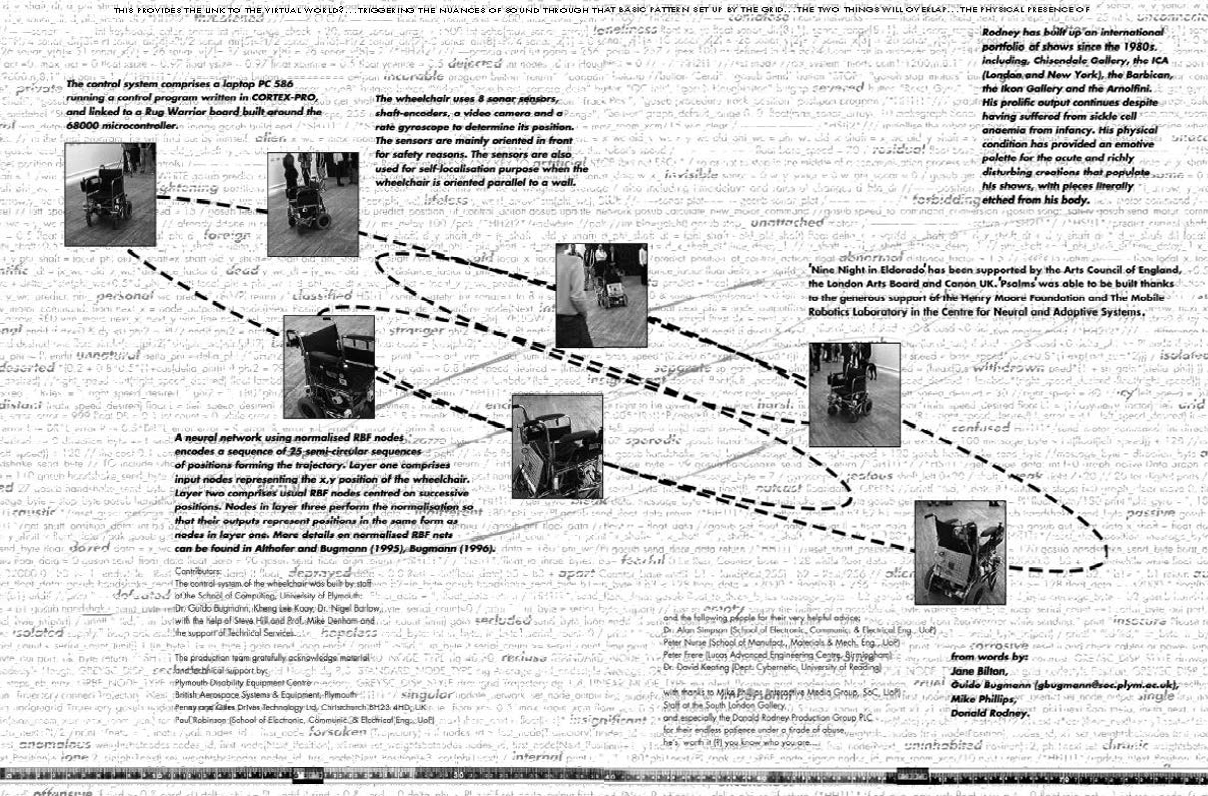
“…Our fear of automata is again harnessed in Psalms, as the empty wheelchair courses through its various trajectories on a sad and lonely journey of life, a journey to nowhere. Its movements repeat like an ever recurring memory, a memory of another life and another journey, that of Donald Rodney’s father…”
(Exhibition brochure, Jane Bilton.)
Psalms. On show at Plymouth Council House for the Atlantic Project 28 September – 21 October 2018.
Psalms in action at the opening of “Nine Night in Eldorado” at the South London Gallery 1997.
Niet Normaal: Beurs van Berlage, Amsterdam, 16 December 2009 to 8 March 2010:
[su_youtube url=”https://www.youtube.com/watch?v=Fe029H2Y8tc” width=”1600″ height=”1600″]
‘The political significance of Rodney’s work should not be underestimated, nor his legacy which continues to inspire younger artists.’ (Keith Piper, Co-curator).
An Online Advisory & Support Environment for Staff, Students & Industrial Partners.
Academic Programmes with vocational components (sandwich courses) have to maintain a continual dialogue with Placement companies in order to monitor industrial trends and preferences. This constant background activity (which includes frequent visits) places a relatively unrecognised strain on programme teams, especially as many companies are located at considerable distances from the home University. Students are often concerned about their level of personal skills and the relevance of their programme of study to employers, and are constantly seeking first hand information about the ‘real world’. The ‘Virtual Advisor’ (VA) recognises a need to provide a mechanism to allow staff to enter into a continuous interaction with new and established companies, and to encourage a critical dialogue between students, staff and prospective employers.
The underlying aim of the design team was to create an ‘active’ facility that would be in a state of continual use and dynamic change. As there was an obvious need for the VA, it was important to make the system pleasurable to use, and encourage a high level participation. Initially emphasis was placed on designing a ‘location’ that would mimic or be reminiscent of a ‘real’ location. By seeing the real location the user would be reminded of the discourse underway in the simulated environment and be encouraged to enter into further discussion. However, the ‘VA’ has a real geographical location (the location WWW server) which is a considerable distance from the primary target audience (London), it also aims to support a national and international audience. It would be difficult, if not impossible, to identify a location that would have universal appeal, and be visible from all areas of the globe. An off world location was finally chosen, a set of coordinates, a cluster of stars, between the horns of Taurus, in an area of high radio activity in the Crab Nebula. Look to the skies and imagine the ‘VA’.
As the project progressed it became apparent that the significant design issues were not the visual aspects of the site, but the processes and functions that needed to be built in to enable a process of discussion to take place. And, although the concept of a location ‘somewhere out there’ (certainly not in the server room in Plymouth) is quintessential to the project, emphasis changed to to the development of a ‘process’. The graphical elements are reminiscent of network diagrams, nodes and branches, a process of connection. The 3D renderings support the notion of a physical space, but the abstract structure place significance on linking, travelling from A to B, and passing through the system.
Sections:
Project: this section allows students to submit an illustrated proposal for their final Stage Project (contributes to a third of their degree classification). This can be seen by staff and other students. Updates can be submitted at several points throughout the Final Stage.
Experience: allowing students to enter their experiences from placement and post Programme employment, (issues tend to focus on management and production methods, client/company relationships, anecdotes, and technical experience.
4D Conversation: a layered discussion, allowing participants to maintain a multi-user conversation back linking to previous entries.
Think Tank: accepts proposals, ideas and problems from external advisors. These can then be developed by student production groups.
Production Team:
Will Bakali, graphics, scripting and server control;
Mike Phillips and Chris Speed, concept and system design.
Many thanks to:
Brian Eno
Andy Finney (The Independent Multimedia Company)/
Mic Cady (Dorling Kindersley Online Publishing), AA Multimedia/
Rob Morrison (Silicon Graphics).
Tech:
The VA was built on an Apple Mac WWW server, using WebStar and Netforms, CGI scripts, HTML, Shockwave (Director), Java Script, Photoshop, Netscape, etc….


 Test Transmission
 Discovering Multimedia
 Managing the Multimedia Process
 Creating Multimedia
 Virtual Environments
 Multimedia and the Internet

 The MEDIASPACE Transmissions regularly use chromakey to provide back drops for the presenters.









You must be logged in to post a comment.